What is AudioMulch?
AudioMulch is an interactive musician's environment for PC and Mac. It is used for live electronic music performance, composition and sound design.
AudioMulch allows you to make music by patching together a range of sound producing and processing modules. Unlike some patcher-based programming environments, AudioMulch's modules perform high-level musical functions, so you don't have to create things from the ground up using individual oscillators and filters. AudioMulch is designed for live performance and improvisation - you can process live audio sources and control every knob and slider on the user interface using a MIDI controller.
Learn more about AudioMulch's capabilities below...
AudioMulch is sometimes hard for people to grasp so imagine it this way. Close your eyes and picture your favourite rehearsal space. The floor is cluttered with chains of esoteric effects pedals, each tied to their own instrument and amplifier via cables. There's a keyboard player taking up a third of the room (and even more of the mixer channels). He's surrounded by a modular synth, drum machine, sampler and controller keyboard, so there's only a few channels left on the console for vocals, trumpet and percussion mics. A MiniDisc deck in the PA rack is documenting the jam - if you're lucky - and once you're all connected, that's it. Everyones in his or her own channel and space - locked In.
But what if, while you were playing, the guitar could be repatched via the filters in the synth, the trumpet routed through the fuzz pedal and tape delay, the drum machine used to gate the keys? What if the vocal recording from last week's jam could be pumped back into the Fender Twin from the MiniDisc; all on-the-fly, all without interrupting the audio and all spontaneously? What if all this could be done during a single performance, reconfigured to another combination and then returned, all before the coda? This is the domain of AudioMulch.
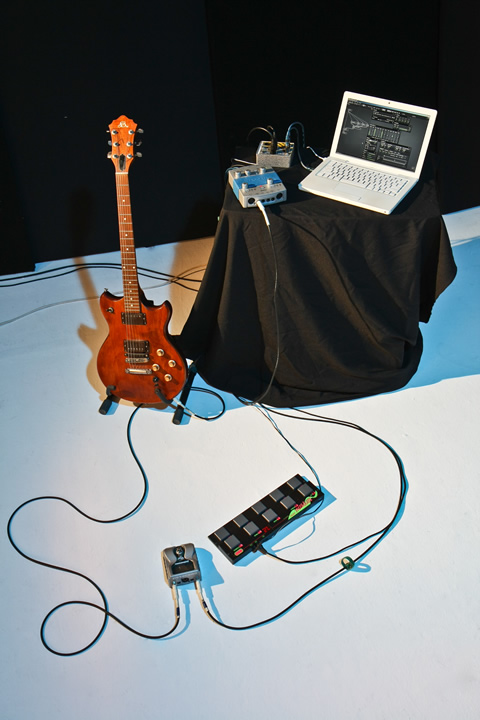
AudioMulch is an 'interactive modular environment' for improvised performance, composition and sound design. Synthesis and processing can be limited to within a single computer, or alternatively, live instrumental performances can be patched into the program via audio interface for direct interaction. Several laptop performers can even interact in this way running multiple instances of AudioMulch; all locked together via MIDI or network sync. The resulting performances can then be captured as a multichannel audio recording or automation curves to be replicated later or refined.
The process is as simple as plugging two modules together with the program's virtual patch leads, so it's not surprising AudioMulch has been used extensively to teach students about audio signal flow and processing. Almost all of the program can be controlled via MIDI, so the concept of performance can become even more physical. AudioMulch emphasises finding your own non-linear path and removes the conventional structure imposed by the discrete multichannel environment of most DAWs. Feedback loops can be combined with Live Looping processes to create self-generating and evolving soundscapes.
AudioMulch is, above all, a computer instrument. It brings together elements of traditional analogue modelling with effects and routing options only possible within the computer.
AudioTechnology, March 2010
Perform and improvise with AudioMulch
AudioMulch uses a non-linear "signal flow" approach that's more suited to live performance than rigid, linear, score-editing style software. This together with its intuitive patcher-style user interface makes AudioMulch a powerful performance system.
AudioMulch's automation and control features offer a fully-configurable control scheme that allows you to be as hands-on or as hands-off as you want to be.
- Rapidly modify, rebuild and reconfigure your sonic ideas with a drag-and-drop patcher interface
- Synthesize, process, loop and sequence sounds live
- Selectively automate and control any aspects of your performance with the automation timeline, MIDI input, automated Startup Actions and AudioMulch's unique Metasurface control interface
Compose "live" with AudioMulch
Composing music should be as satisfying as performing music live. AudioMulch takes its "live" feeling into the studio, allowing composers to build and explore their musical and sonic ideas in a spontaneous, intuitive way. It's a modular approach in which components are plugged together and processes are manipulated in fluid ways - not just by switching things on and off. This workflow allows you to rapidly put your ideas into practice and hear the results as you work.
Drive AudioMulch with external instruments and hardware
Process your voice or instrument live with AudioMulch. Or set up a patch, even include some of your favourite VST plug-ins, and "play" it remotely from a keyboard or any other kind of MIDI device. With AudioMulch's editable mapping curves you can customise and fine tune the way parameters respond to your instrumental gestures. AudioMulch now features patchable MIDI routing, so you can use third party MIDI plugins to modify your input MIDI signals. You can even use MIDI to switch between patches and settings.
- Host your VST and Audio Unit software instruments and effects in AudioMulch and control them via MIDI
- Incorporate MIDI sequencing and processing plugins into your patches
- Configure MIDI controls with Quick Mapping, and hot-plug your MIDI devices during performance
- Use a single MIDI control source to control several effect and patch parameters
- Switch between documents and patches via MIDI
- Morph between multiple parameter settings with MIDI controller using the Metasurface
Play AudioMulch like an instrument
AudioMulch provides users with a unique high-level interface not seen in any other music software environment: the AudioMulch Metasurface. The Metasurface is a powerful tool for gestural control that turns AudioMulch into an expressive musical instrument. The Metasurface has no virtual knobs and faders; it's an interface designed specifically for performing music with a computer. Instead of having to turn one knob at a time with the mouse, the Metasurface lets you blend smoothly between dozens of parameter settings on a two dimensional plane. You can even automate and loop your Metasurface gestures.
Record, mix and diffuse your music
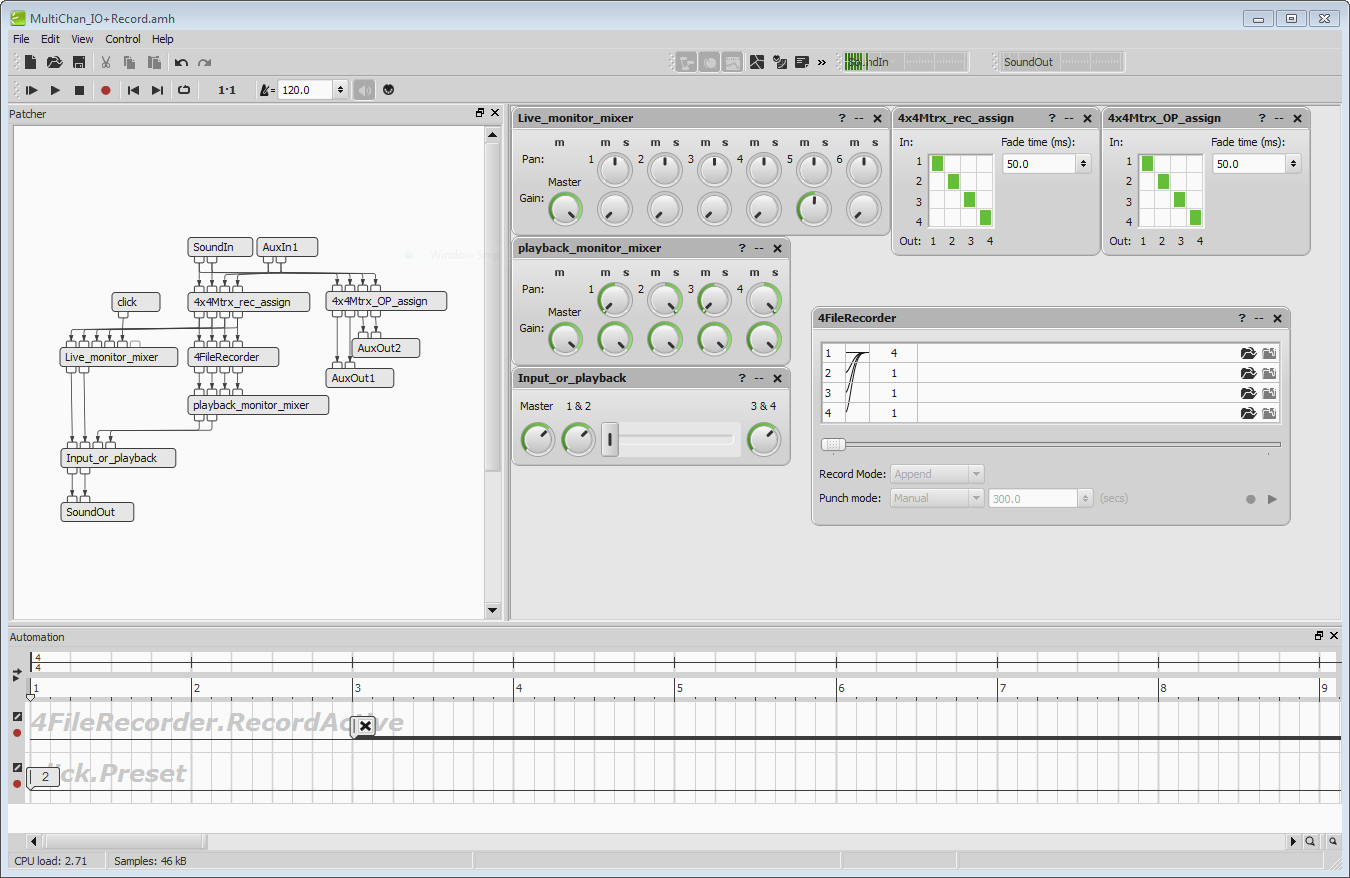
AudioMulch has multichannel input and output, with support for up to 256 channels. This allows you to:
- Record your jam sessions as multi-track recordings to be mixed later
- Use AudioMulch as a live mixer
- Spatialize and diffuse music for surround sound or any sort of multichannel speaker array
Pull it all together
Users often comment that when they bring their material into AudioMulch it all comes together and "just works". That's because everything in AudioMulch - from effects parameters to MIDI - automatically syncs to a global pulse. AudioMulch can also sync with external devices and with other computers over a network.
- Centrally synchronize your beats, effects, loops and processes to a global pulse
- Manage complex beat structures with custom rhythmic units and time signatures
- Synchronize copies of AudioMulch running on different computers using a wired or wireless network
- Synchronize AudioMulch to an external MIDI clock source or generate MIDI clocks in AudioMulch that other devices can sync to
Understand what's going on under the hood
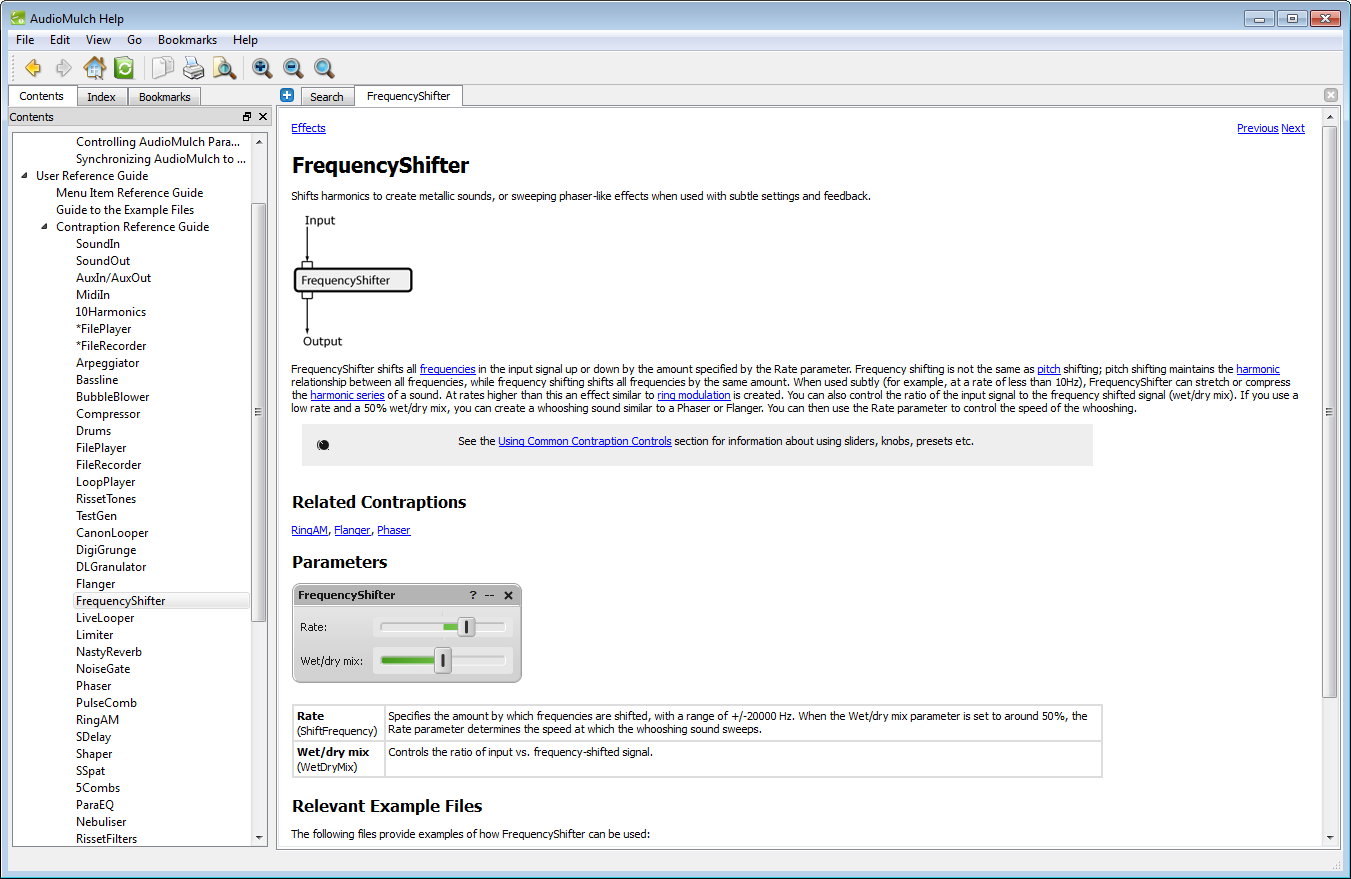
AudioMulch is used by educators to teach audio processing. That's because within the AudioMulch environment what you see is what you get – the process of audio manipulation is represented visually. If you can understand a flow chart, you can understand basic signal processing in AudioMulch. AudioMulch also has an extensive help system that makes it approachable and accessible for first time users. Want help on a particular feature? Contraption help buttons let you jump straight to detailed help information for each contraption.
- Start off simple by plugging together some of AudioMulch's more high level components like drum machines, loopers and file recorders
- Navigate your way around the different parts of AudioMulch easily with the contextual help system.
- Go in deep with extensive help documentation. Browse an on-line version of the help file here
AudioMulch draws on ideas found in other software packages but it combines them in novel ways.
AudioMulch is not a Digital Audio Workstation (a DAW); ie it's not designed for MIDI and audio recording, editing and mixing within a standard multi-tracking environment. But while AudioMulch contains many of the elements contained in other types of music software, such as live effects processors, loop music production studios and virtual modular synthesizers, it's none of those either.
We don't like to make direct comparisons with these product categories because our intention with AudioMulch has always been to create something unique. We care about quality, but we think its a waste of our resources to try to make a better (choose a category) than the next guy - for us it's more important to make something unique and to give musicians a real choice.
AudioMulch is what you make of it
AudioMulch has been designed to be adaptable. For some, AudioMulch is a unique and powerful tool that performs tasks that you can't quite do as easily with other audio software. For others, AudioMulch is their all-in-one environment for composing, performing and producing music. Other ways people use AudioMulch include:
- As a sound mangling tool. Creative audio processing using granulators, shifters & shapers, delays and filters.
- As a multi-track recorder. Record the stems of your improvisations and performances for remixing later in the studio
- Composers and sound designers create sound textures in AudioMulch to use as source material for their work in multi-track editors
- Keyboardists use AudioMulch to host their software instrument plug-ins (VSTis) and effects
Modules
AudioMulch's signal processing modules ('Contraptions') include:
Signal Generators
Test tone/noise, drum machine, bassline synthesizer, additive synthesizer, stored sample granulator, loop player, streaming sound file players and recorders (up to 24 channels), Shepard/Risset tone generator, arpeggiator.
Effects
Reverb, flanger, phaser, delay line granulator, ring modulation, stereo delays, stereo chorus, dynamic stereo spatialiser, waveshaper, digital grunge inducer, pulsar comb filter, frequency shifter, 16 channel live sampling looper, live sampling "canon" looper.
Filters
Parametric EQ, resonant comb filter bank, Shepard/Risset filter bank, granular filtering, resonant lowpass with pattern triggering and envelope folowing control.
Dynamics Processing
Compressor, limiter, noise gate.
Mixers
Mono and stereo mixers and gain elements, crossfader, matrix with variable fade times.
Your VST and Audio Unit plugins
AudioMulch supports VST audio effects and instrument plugins, and Audio Unit plugins on Macintosh, allowing hundreds of free plugins and many commercial plugins to be used within the AudioMulch environment.
System Requirements
AudioMulch runs on both Mac and PC. AudioMulch is tested on the lastest system update of these operating systems.
Windows
-
Windows XP, Vista and Windows 7
(32 and 64 bit OS versions)
Macintosh OS X
- Intel processors only
- OSX 10.5 (Leopard), OSX 10.6 (Snow Leopard), OSX 10.7 (Lion) and OSX 10.8 (Mountain Lion)
Pricing
AudioMulch is distributed as a 60 day evaluation version. Click here to download a free trial. A single user license can be purchased for US$189. See the purchase page for further details.